Designing a Kitchen Display System for Faster Order Preparation
I designed a digital Kitchen Display System for Mupra to replace paper kitchen tickets with a clearer and more flexible workflow for chefs and kitchen staff.
- Period
- Jun 2025
Context & Goal
Many restaurants still use printed tickets to send orders to the kitchen. During busy hours, this can create a large number of papers and make it harder for kitchen staff to understand which orders are new, changed, or ready to prepare.
The goal was to create a digital system that could support high order volumes, make order changes easy to notice, and help kitchen staff prepare and track items more accurately.
Challenge
I visited several restaurants to observe chefs and the people responsible for managing kitchen tickets. In busy restaurants, a large number of orders could quickly fill the kitchen with paper tickets.
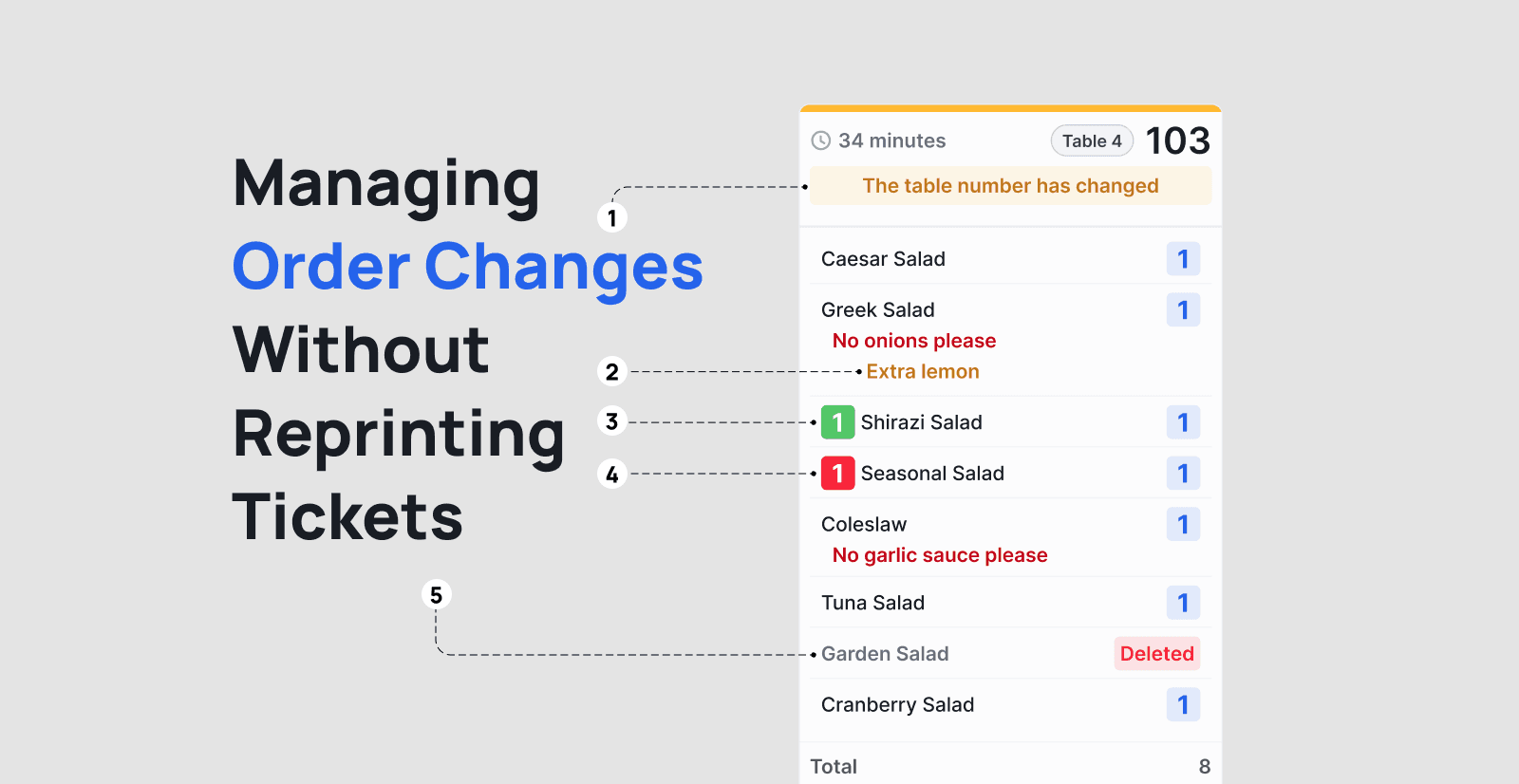
Order changes were another challenge. When a customer changed an order, the ticket was often printed again or attached to the previous ticket. This made it difficult to understand what had changed and increased the risk of preparing the wrong item.
Kitchen staff also had to count product quantities manually. For example, they might need to count several tickets to understand that they had to prepare four pizzas. This process depended on experience and could lead to mistakes.
Research & Insights
The research focused on observing kitchen staff during real order preparation and understanding how they read, organize, and update tickets.
The main insights were:
- The system needed to support many active orders without becoming difficult to scan.
- Changes to an order had to be visible inside the original order instead of creating another ticket.
- Product quantities should be summarized automatically to reduce manual counting.
- Kitchen staff needed a quick way to mark an item as ready while continuing to monitor other orders.
- The interface had to support fast use in a busy environment, with clear status colors and simple actions.
Hypotheses
We hypothesized that replacing paper tickets with a structured digital display would help kitchen teams manage orders with less effort and fewer mistakes.
- Grouping each order into a clear card would make active tickets easier to scan.
- Highlighting order changes would help staff notice updates without checking multiple tickets.
- Showing total item quantities would reduce manual counting and preparation errors.
- Allowing staff to mark individual items as ready would give them better control over order progress.
- A digital workflow would support high order volumes more effectively than paper tickets.
Solution
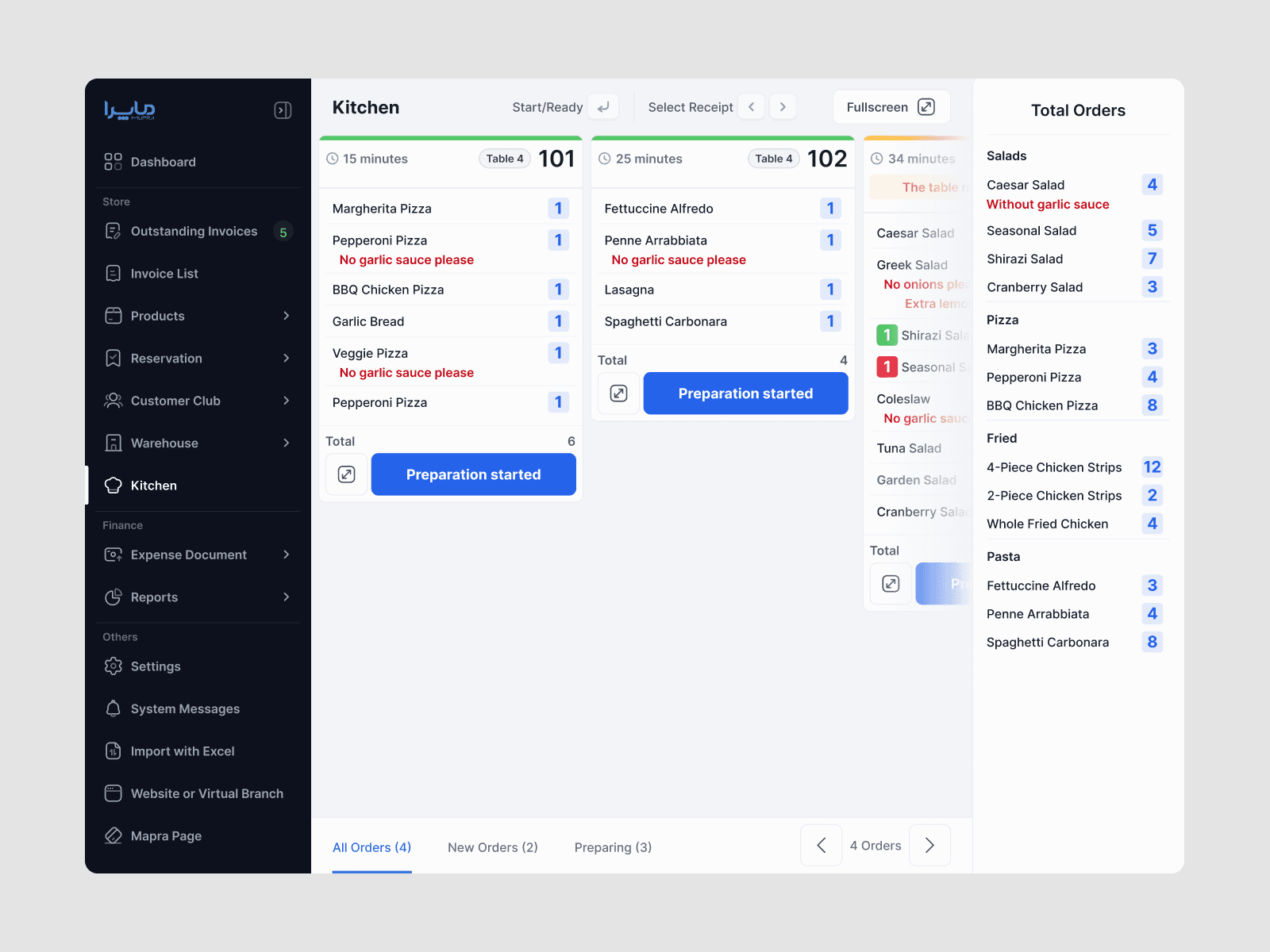
The KDS organizes active orders into clear cards, each showing the order time, table number, items, quantities, notes, and preparation status.
- Order changes are highlighted in yellow so staff can notice them quickly.
- Deleted items are shown clearly instead of disappearing without context.
- Product quantities are summarized in a separate panel, making totals easy to check.
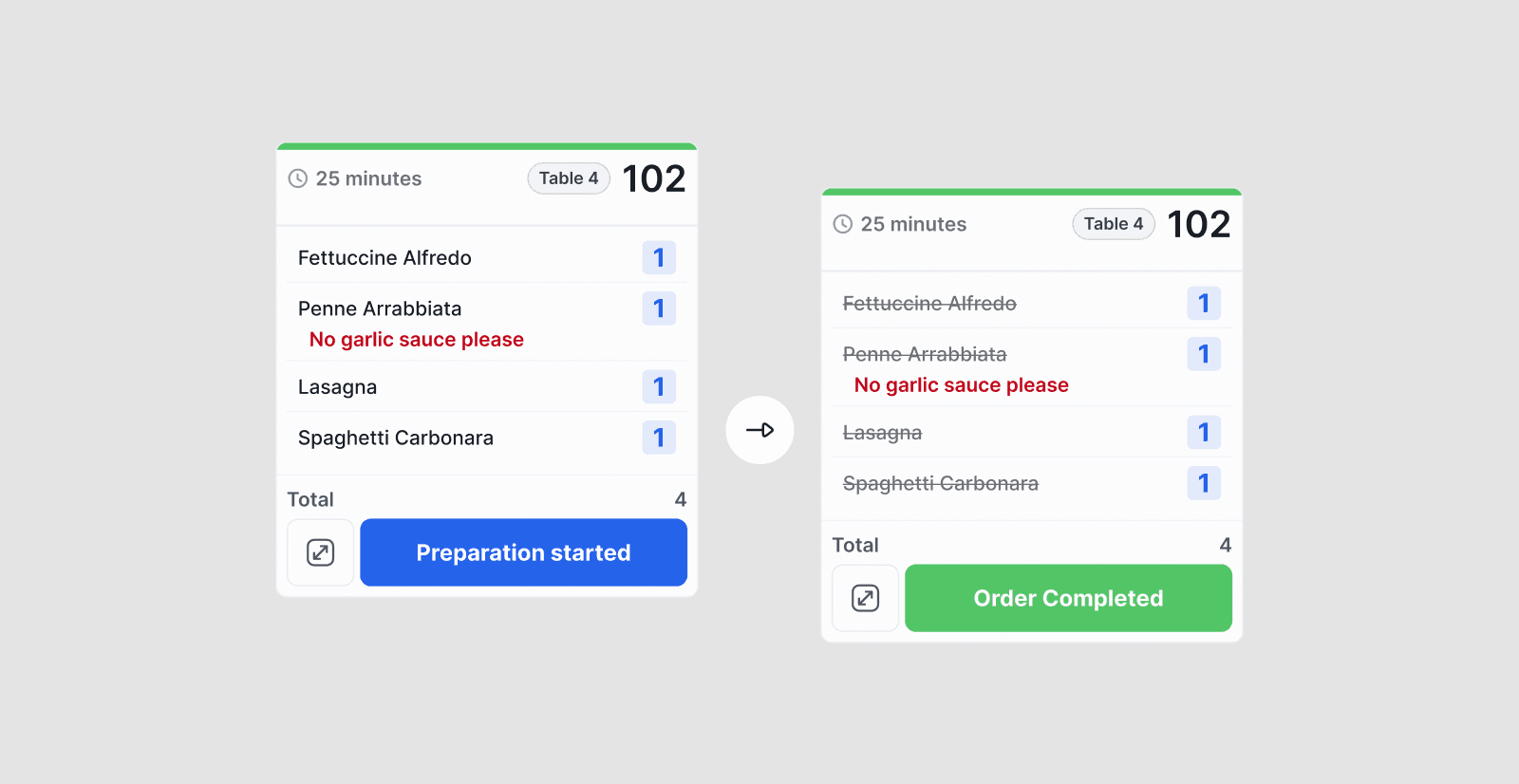
- Individual items can be marked as ready with a simple click.
- Order-level actions show when preparation has started or can begin.
- Keyboard shortcuts, fullscreen mode, and kitchen selection support fast operation in different kitchen setups.
The design replaced a paper-based process with a shared visual workflow that helps the kitchen understand what needs to be prepared, what has changed, and what is already ready.
Impact & Results
The KDS created a clearer way for kitchen teams to manage multiple orders at the same time. Staff could see changes inside the original order, review total quantities without counting tickets manually, and update preparation status directly on the screen.
For an initial pilot, we defined conservative success targets based on the main problems observed in restaurant visits:
- 10–15% reduction in average preparation time
- 20–30% fewer errors related to order changes and manual counting
- 50–70% reduction in duplicate ticket printing
- 5–10% improvement in on-time order preparation
These targets represent the expected impact of the design and should be validated through a before-and-after pilot across real restaurant shifts. The most important outcome was a more organized preparation flow with better visibility during busy service periods.
The intended outcomes were a more reliable order workflow, clearer communication between the front of house and kitchen, lower paper use, and a scalable foundation for digital kitchen operations.
Summary
By replacing paper tickets with a focused digital workflow, the KDS helped kitchen teams prepare orders with more clarity, better control, and less manual effort.