Designing Spectro: A Smarter Color System Workflow for Figma
Spectro is a smart color assistant that helps designers create, preview, and export production-ready color systems directly inside Figma.
- Period
- Mar 2026
Context & Goal
Creating a UI color system involves more than choosing colors that look good. Designers need to balance contrast, luminance, saturation, accessibility, brand expression, semantic meaning, and light and dark mode behavior.
The goal was to make this process faster and more reliable by bringing neutral palettes, semantic colors, UI previews, and design-system export into one focused Figma workflow.
Challenge
The existing process was manual and fragmented. Designers often refined neutral scales one color at a time, created status colors separately, checked accessibility manually, and moved between multiple tools to test and export their palettes.
The challenge was to reduce repetitive work without producing generic or rigid results. Designers still needed creative control and the ability to make informed decisions about their systems.
Research & Insights
We combined our experience working with design systems and UI products with interviews with designers who regularly create or maintain color palettes. We also reviewed similar products and user feedback to identify common frustrations and gaps.
The key insight was that designers do not need more colors; they need to make better color decisions, faster. Neutral palettes are foundational but time-consuming, semantic colors need to feel connected to the system, and light and dark modes require different tonal decisions.
We also found that real UI previews build more confidence than isolated swatches, while variable export is essential for turning generated colors into a usable design-system foundation.
Hypotheses
We hypothesized that designers would adopt a color-generation workflow more readily when it combined automation with creative control and real UI validation.
- Starting from a primary color would help designers build a more coherent system around a brand foundation.
- Automated neutral and semantic color generation would reduce repetitive manual refinement.
- Separate light and dark mode decisions would produce more reliable results than simply inverting colors.
- Previewing palettes in real UI components would give designers more confidence than reviewing swatches alone.
- Direct export to Figma variables would make generated palettes easier to use in scalable design systems.
- Adjustable density and tonal balance would preserve designer control while reducing manual effort.
Solution
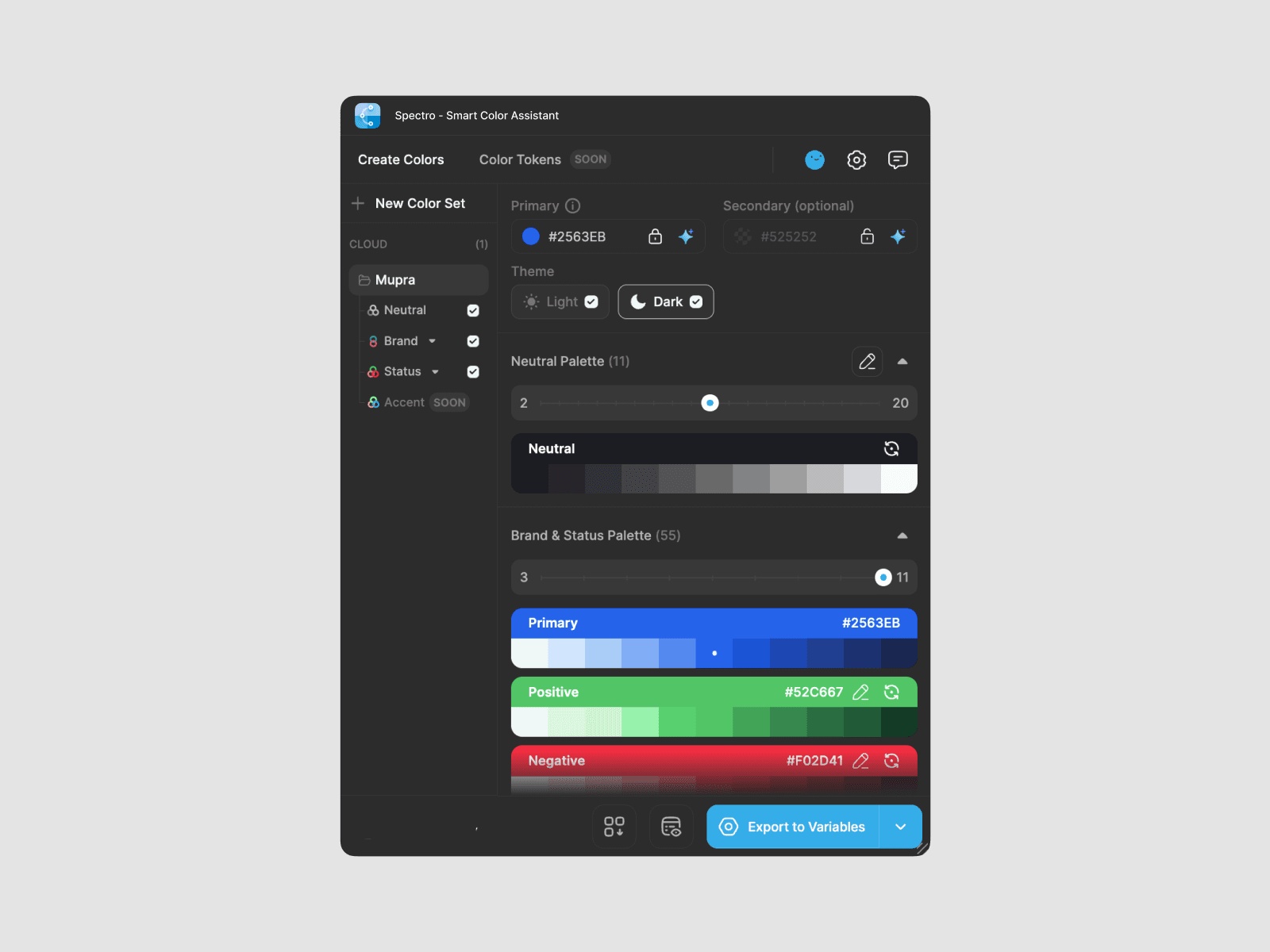
Spectro generates complete, UI-friendly color systems from a primary color directly inside Figma. Designers can create balanced neutral palettes and related status colors such as Success, Warning, Info, and Danger.
The workflow was built around three principles:
- Speed: Generate usable palettes in seconds instead of adjusting every tone manually.
- Confidence: Preview colors in real UI components before applying them.
- Scalability: Export colors directly to Figma variables and canvas.
The plugin also supports light and dark mode, adjustable palette density and tonal balance, and refinement for visual balance and accessibility. The aim was not to replace designer judgment, but to remove repetitive work so designers could focus on quality and refinement.
Impact & Results
Spectro turns color-system creation from a slow, fragmented process into a more focused workflow inside Figma.
It supports faster palette creation, more consistent neutral and semantic colors, better light and dark mode decisions, and greater confidence through real UI previews. Direct export to variables also makes the output easier to carry into a scalable design system.
By combining these capabilities in one plugin, Spectro reduces the need to switch between separate tools while keeping designers in control of the final result.
Summary
Spectro helps designers spend less time tweaking colors manually and more time making thoughtful decisions about the systems they build.